
Full answer
Managing Story Collections
- You can manage your Story Collections by going to them from the "My Collections" option on the "My" button in the Stories Archive section of the site. https://gayauthors.org/stories/browse/collections/?filter_mine=my
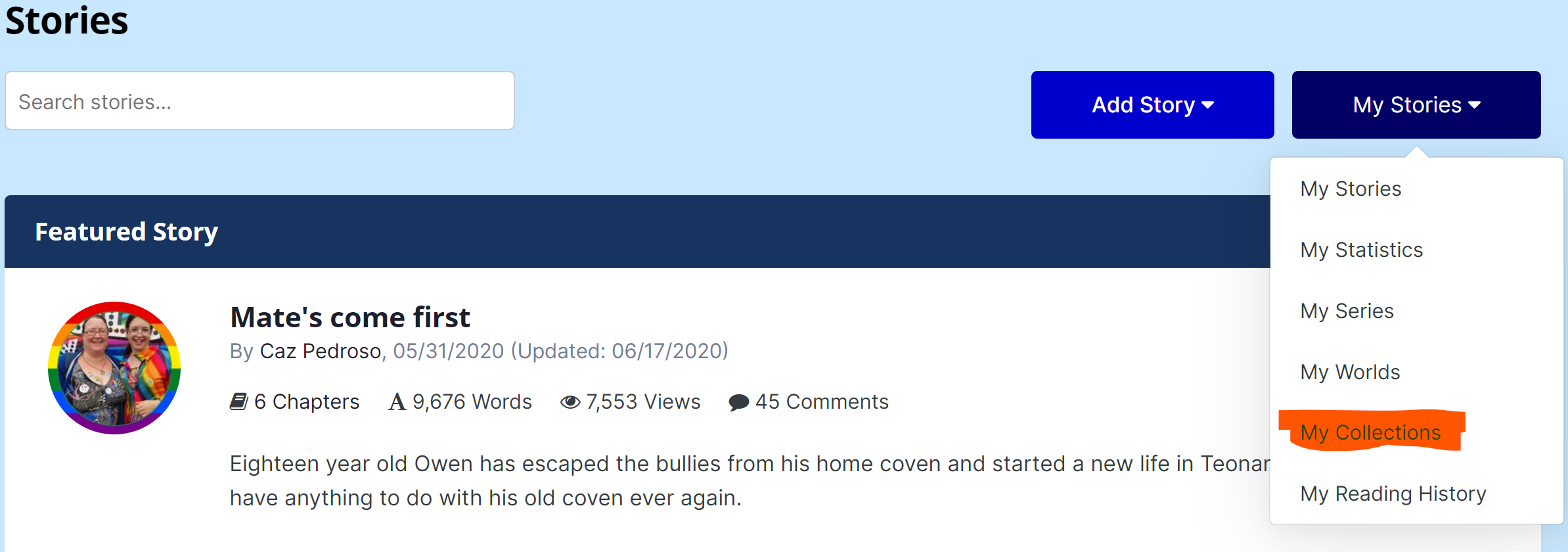
- Select the Collection you wish to manage
- Click the Manage button on the lower right side of the header

- You can Add Story to the Collection from here by choosing that option and then typing the title and selecting the correct story.
- You can Edit the settings for the Collection in "Edit Collection"
- Staff can change owners of the Collection with "Change Member"
- You can remove the Collection by "Delete Collection"
Adding/Removing Stories from Collections
- One way to add a story, as shown above, is to use the "Add Story to Collection" option from the "Manage" Menu
- Another way to add a story to a collection is to press the green button with a ➕

- After selecting the green plus, choose "Add to Collection". You will then be prompted to select which collection. If you do not have a collection created yet, you'll be given an error saying you must create a collection first.
- To remove a story, select the red X. You will have to confirm you wish to remove the story.
Recommended Comments
There are no comments to display.
Create an account or sign in to comment
You need to be a member in order to leave a comment
Create an account
Sign up for a new account in our community. It's easy!
Register a new accountSign in
Already have an account? Sign in here.
Sign In Now